

A 3D map of your codebase. Every file is a building, and every building keeps its place.


Live demo · Quick Start · What It Shows · Usage · How It Works · Limitations
Codebases now change faster than anyone can read them line by line. codecity renders a git repository as a 3D map so that you can keep an accurate picture of the whole: where the established code is, where work is happening, which files everything else depends on, and what has changed since you last looked.
It runs locally with a single command and produces a single HTML file. There is nothing to configure, no account to create, and no data leaves your machine.
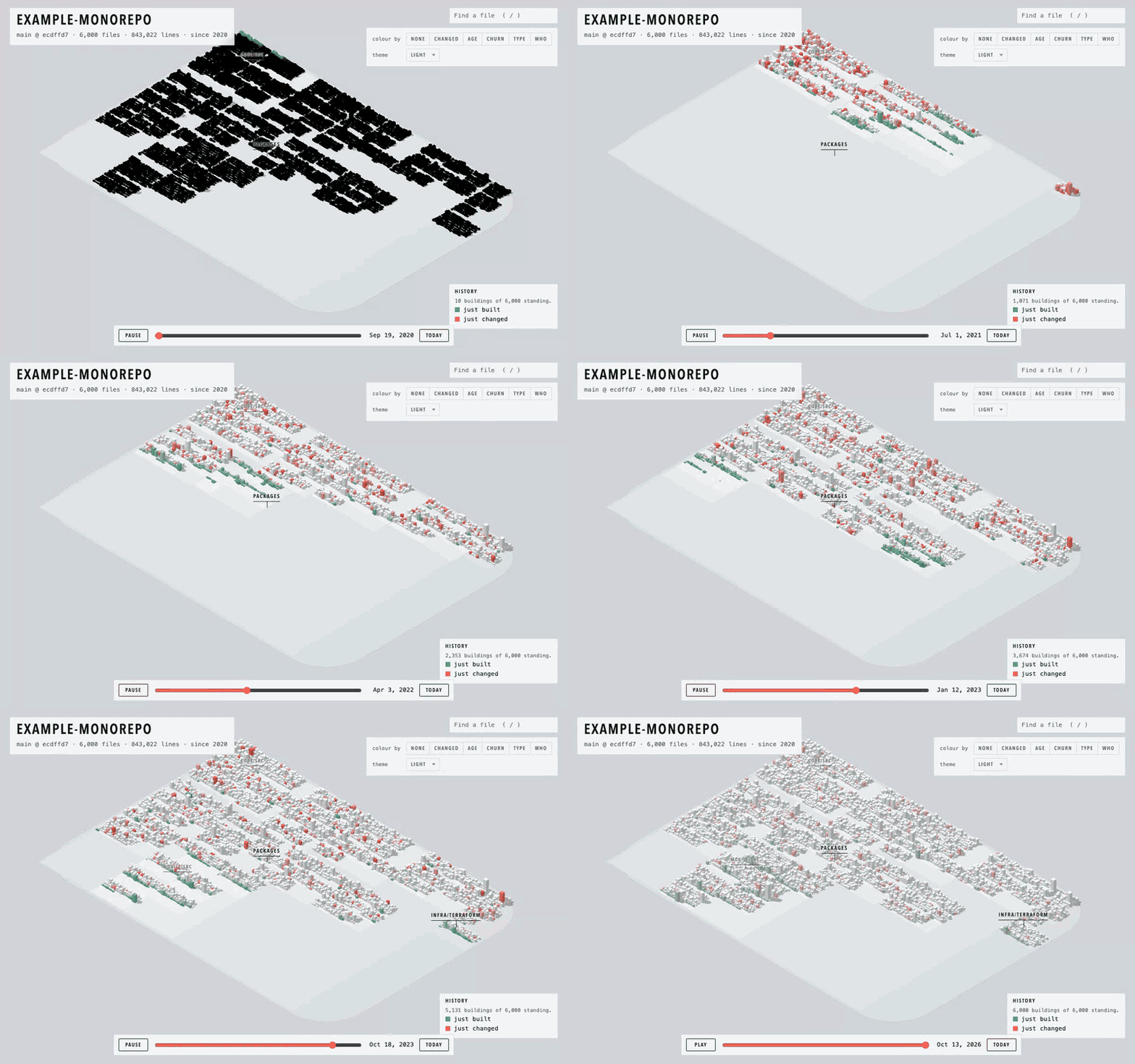
History playback of a 6,000 file, 2,500 commit test repository.
npx codecityThis opens a map of the current repository in your browser and keeps it up to date while you or your coding agents work. Stop it with Ctrl+C.
To write the map to a single HTML file instead, to keep or to share:
npx codecity -o map.htmlTo install globally:
npm i -g codecity
cd your-project
codecity
Requires Node.js 20 or later and git.
To look at a public GitHub repository without cloning it, paste its address at codecity.icy.dev, or go straight to codecity.icy.dev/<owner>/<repository>, for example codecity.icy.dev/react/react. The map is drawn on a server from the last 3,000 commits and kept for a day, so the link can be shared. Files open on GitHub.
Each folder is a district and each file is a building. Within a district, buildings are placed in the order their files were first committed, so the oldest code sits where the project began and new work is added at the edges.
The layout is deterministic and stable. A building moves only when something placed before it grows, which means the map you learned last month is still the map today, and everyone on the team sees the same one.
| Property | Meaning |
|---|---|
| Position | The file's folder, and when the file first appeared |
| Footprint and height | File length. The footprint grows with the square root of the line count. Height grows faster, so long files stand well clear of short ones |
| Outline | The shape of the code. Each floor is about sixty lines and is as wide as those lines are long, so files that follow the same pattern look alike |
| Flat grey slab | A generated file, such as a lockfile |
| Flat tile | A binary file, such as an image or font |
| Light on the roof | Uncommitted changes |
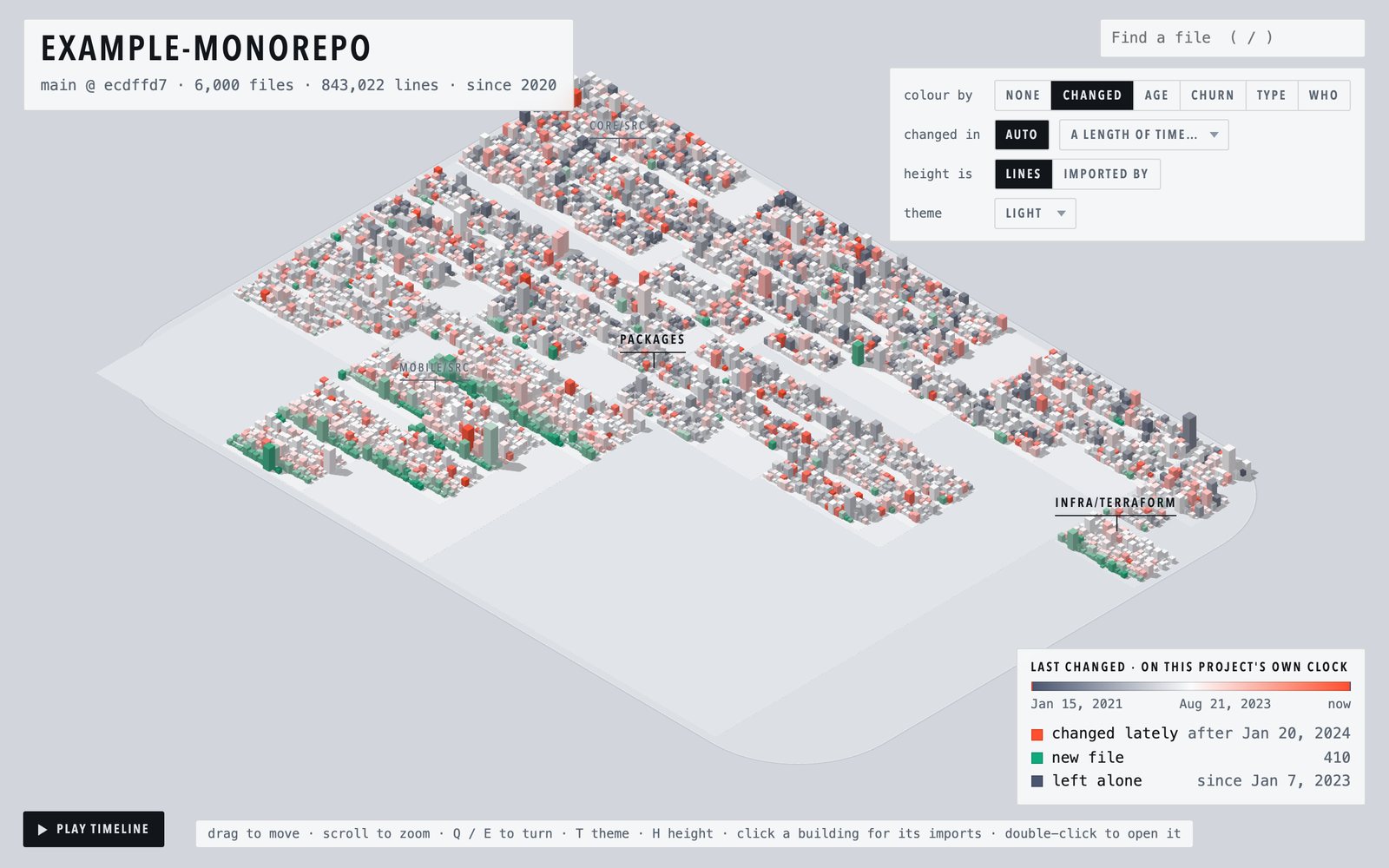
The Changed view colours every file by how recently it was modified.
- Automatic scale. By default the scale is relative to the project's own history, not to fixed dates, so it is equally useful on a repository that is a week old and one that is ten years old. Recently changed files are warm, files that have not been touched for a long time are dark, and everything in between is neutral.
- New files. Files that were created recently, as opposed to edited, are shown in green.
- Uncommitted work. Files with uncommitted changes are shown in amber.
- Fixed windows. Switch to the last 24 hours, 7, 30 or 90 days, or the last year.
- Last pull. Shows exactly the files your most recent
git pullchanged, read from git's own record of whereHEADhas been. A commit's date says when it was written, not when it reached your machine, so this is the view to use after pulling a colleague's work. When a pull is recent, a notice above the map leads straight to it. - Since your last visit. The map records when you last opened it and can show only what has changed since then.
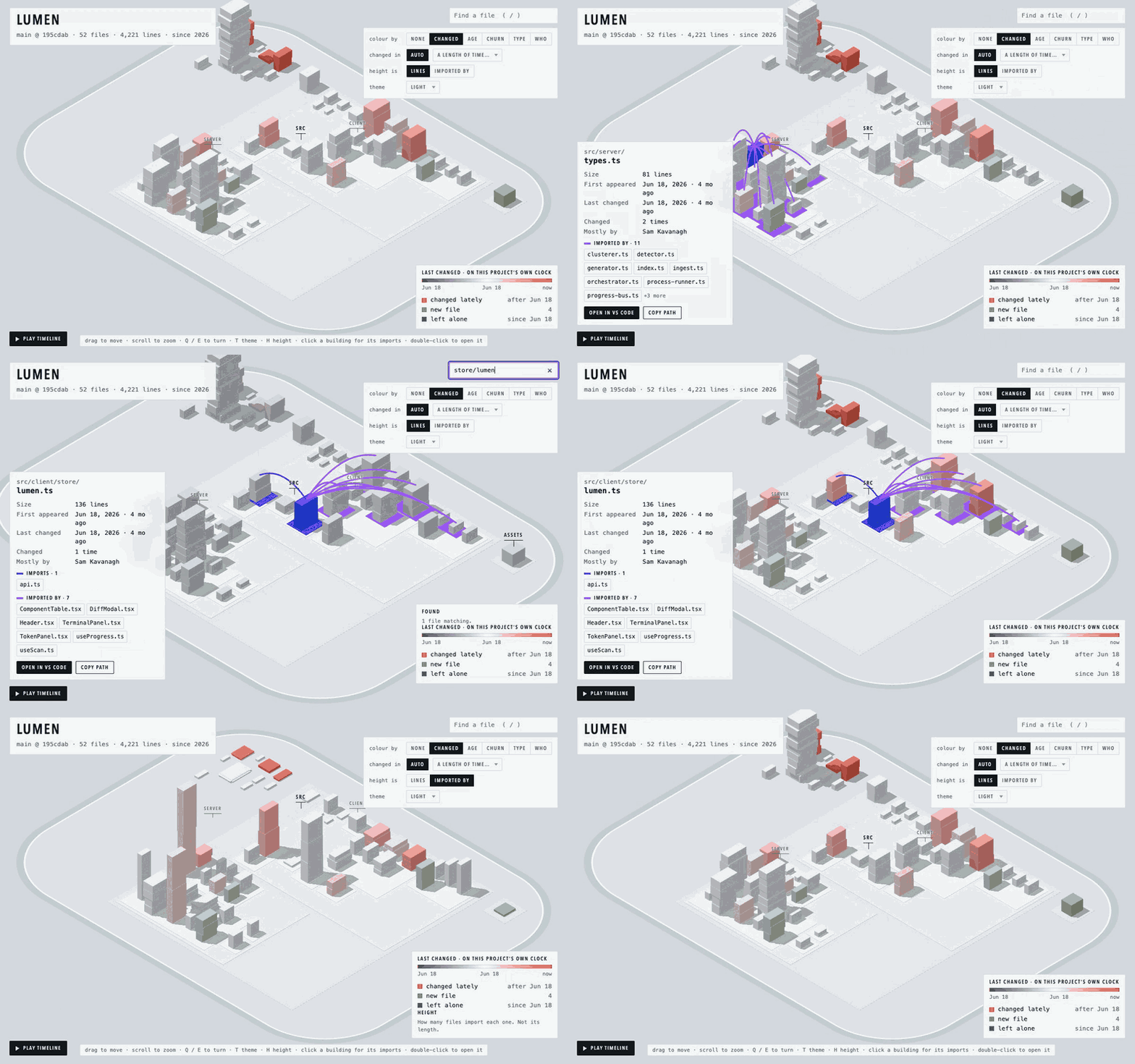
Select any file to see how it is connected.
- Blue lines run to the files it imports.
- Purple lines run from the files that import it.
- The detail panel lists both sets with their counts. Select a name in the list to jump to that file.
- Press
Lto hide or show the lines.
Dependencies are drawn for one file at a time. Drawing every import in a repository at once produces a diagram that cannot be read.
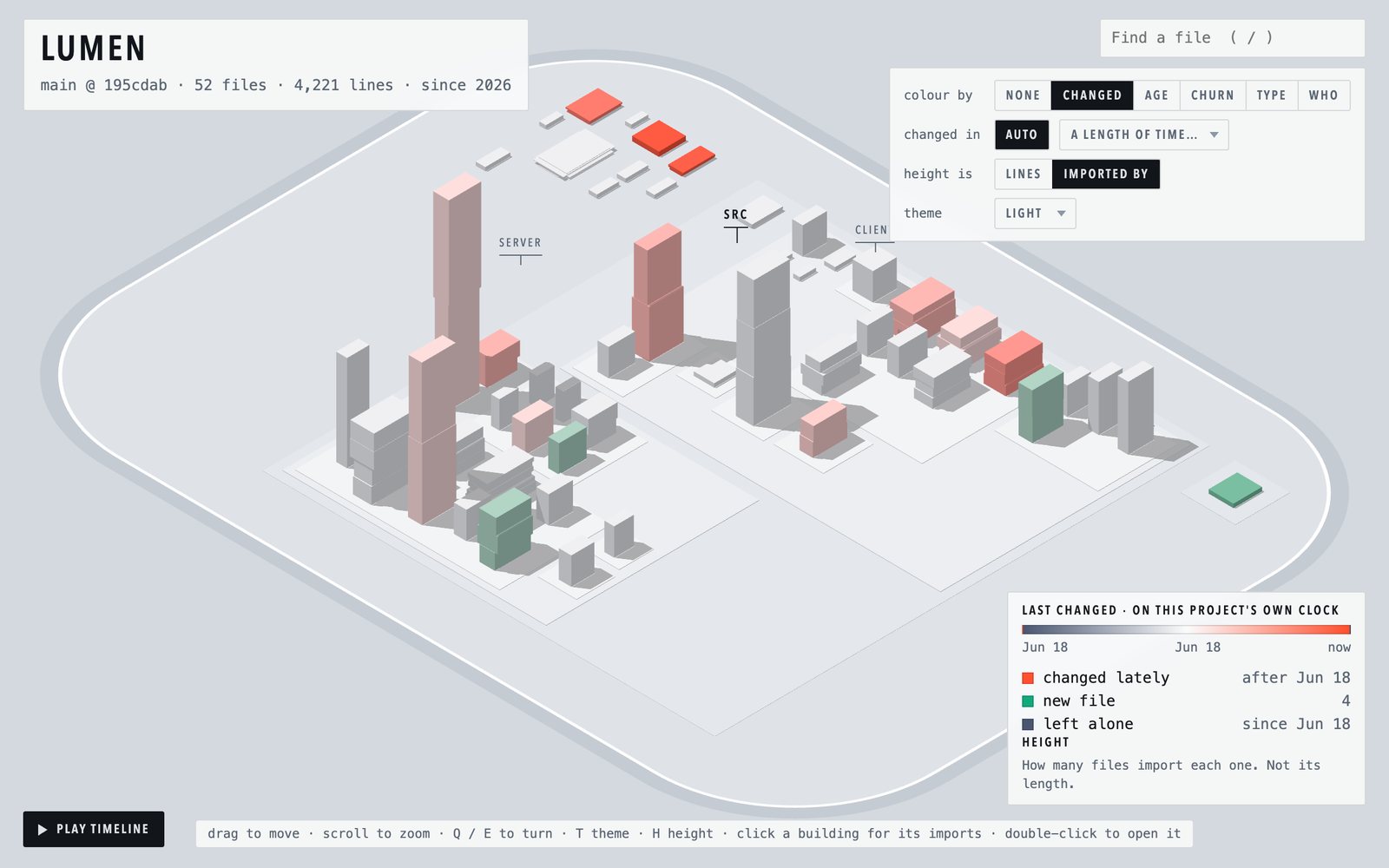
To find the files the codebase relies on most, switch Height from Lines to Imported by (or press H). Each building is then as tall as the number of files that import it. Buildings change height in place, so a short utility file that half the codebase depends on becomes immediately visible.
Imports are read for JavaScript and TypeScript (including paths aliases from the root tsconfig.json or jsconfig.json), Python, Go, Rust, Java, Kotlin, Scala, C and C++. Only imports of files in the repository are drawn; packages from outside it are not.
codecity serves the map on localhost and applies changes as they happen, without reloading the page.
- Files that have just been saved are highlighted for a few seconds.
- New files rise from the ground in their final position.
- Pause. Click the live indicator beside the repository name to hold the map still, for example while presenting it. Changes that arrive in the meantime are applied in one step when you resume.
- Commits, checkouts and staging are picked up from the
.gitdirectory.
This is the mode to use while coding agents are working: you can see where in the codebase they are making changes.
Select Play timeline (or press P) to replay the repository from its first commit to the present. Each district appears when its first file does, and each file appears on the date it was first committed and grows as it grew. Recently added files are shown in green and recently changed files in coral. The timeline can be paused and scrubbed.
Save video records the playback as a video file, with the district names, the date and the repository name drawn into the picture. It records the map as it is on screen, so set the theme, zoom and angle first. The file is MP4 where the browser can write it and WebM otherwise, and it is made in the browser: nothing is uploaded.
Playback advances by event, not by calendar time, so periods of inactivity are skipped.
| View | Colours each file by |
|---|---|
| None | No colouring. The plain model |
| Changed | How recently it was modified. This is the view the map opens on |
| Age | When it first appeared |
| Churn | How many commits have touched it |
| Type | File extension |
| Who | The author with the most commits to it |
A view only ever changes colour. Position and shape always mean the same thing.
Three themes are included: Light, Dark and Beach. By default the map follows your system's light or dark setting. A theme changes the ground the map stands on. It never changes what the buildings' colours mean.
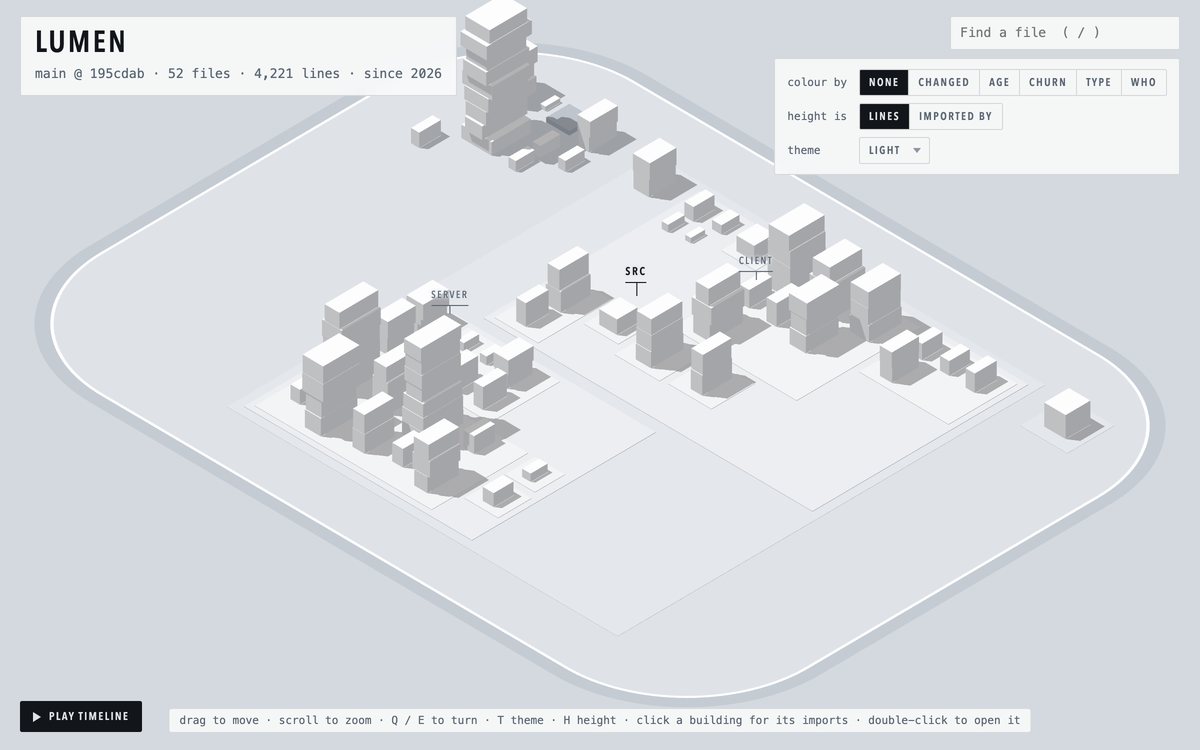
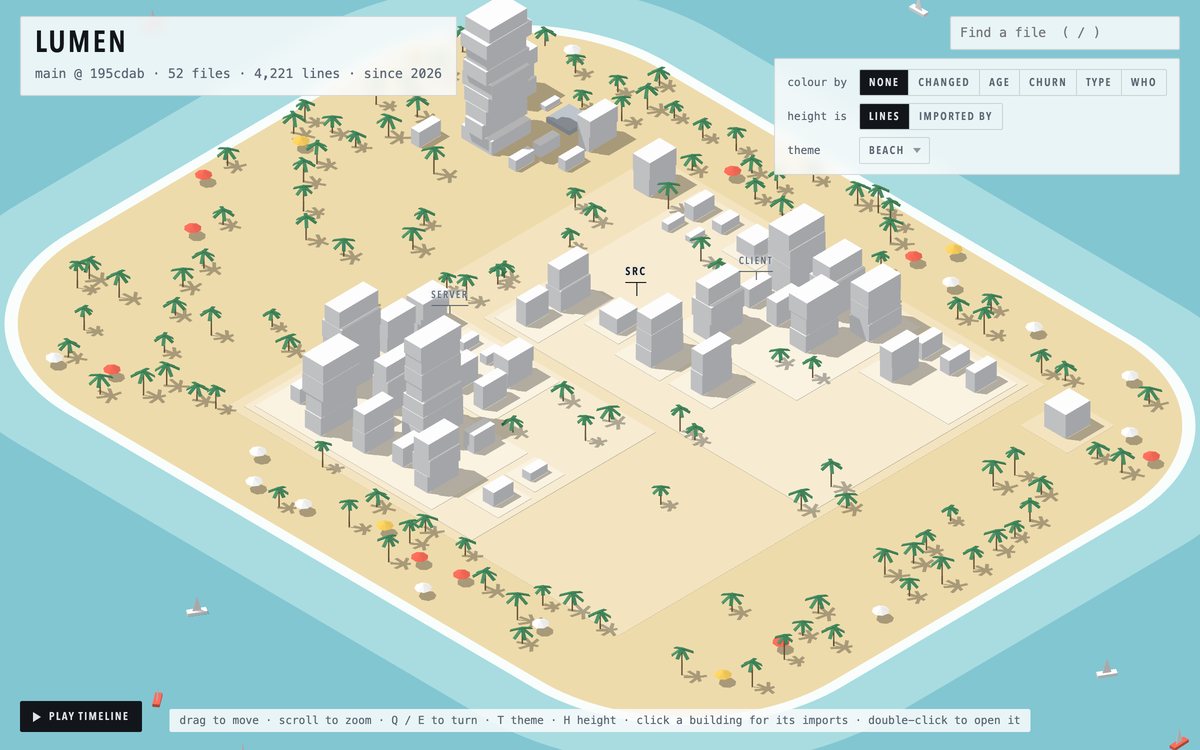
codecity [folder] [options]

  -o <file>         Write the map to one HTML file and stop, to keep or share
  --once            The same, to a temporary folder
  --port <number>   Port to serve the live map on (default: 3737)
  --theme <name>    Theme: auto, light, dark, beach (default: auto)
  --link <url>      Link each file to <url>/<path> instead of opening it
                    in VS Code, for maps you publish. For a GitHub
                    repository: https://github.com/<owner>/<repo>/blob/main
  --no-browser      Don't open the browser automatically
  -h, --help        Show this help message
With -o or --once, the output is one self-contained HTML file. It works offline and can be opened from disk, attached to a pull request or sent to a colleague.
The address of a map keeps what you are looking at: the colour, the selected file, the theme, the moment in the timeline and where the camera is. A link to it opens exactly that view.
- Share appears on maps with a web address, such as those at codecity.icy.dev. It copies the link to the current view, or opens the share sheet on a phone.
- Save a copy appears in live mode. It downloads the map as it is now, as one self-contained file that opens on the same view.
| Input | Action |
|---|---|
| Drag, scroll | Move and zoom |
Q E |
Rotate by a quarter turn |
1 to 6 |
Select a view |
H |
Switch height between lines and imported by |
T |
Switch theme |
P |
Play or pause the history |
/ |
Find a file by path |
L |
Hide or show dependency lines |
0 |
Reset the camera |
| Click | Open a file's detail panel and draw its dependencies |
| Double click | Open the file in VS Code |
codecity reads three things, all locally:
- The working tree. Every file tracked by git, plus untracked files that are not ignored. Line counts and outlines are computed from the file contents.
- Git history. One pass of
git log --numstatprovides, for each file, the date it first appeared, the date it last changed, the number of commits, the main author and its size over time. - Imports. Import statements in JavaScript, TypeScript, Python, Go, Rust, Java, Kotlin, Scala, C and C++ files, resolved to files in the repository.
The layout is computed from that data and written, together with the viewer, into a single HTML file. The viewer and its 3D library are bundled into the file, so the page makes no network requests.
By default a local server bound to 127.0.0.1 serves the page and pushes updates to it. Git history is cached and only read again when the current commit changes.
- Imports are read with patterns, not a parser, for the languages listed above. Imports built at run time, and Rust imports from one crate of a workspace to another, are not found. A Go import is drawn as one link, to the file named after the package or its longest file.
pathsaliases are read from the roottsconfig.jsonorjsconfig.jsononly. - The history shows the files that exist today. Files that were deleted along the way do not appear.
- For repositories with more than 20,000 commits, per-commit sizes are not computed. In the history, files then appear at their current size.
- Tested with repositories of up to 6,000 files. Larger repositories may be slow.
- "Last changed" is the most recent commit that touched a file. A single commit that reformats every file will make the whole repository appear recently changed.
- File watching relies on recursive
fs.watch. It is tested on macOS, Linux and Windows with Node 20 and 22.
Before version 0.2.0 this package was published as @icydotdev/repocity.
Issues and pull requests are welcome.
git clone https://github.com/icydotdev/codecity
cd codecity
npm install
npm run build
npm run dev -- ../some-repoMIT © Sam Kavanagh