
Made with glancecard · refreshed daily
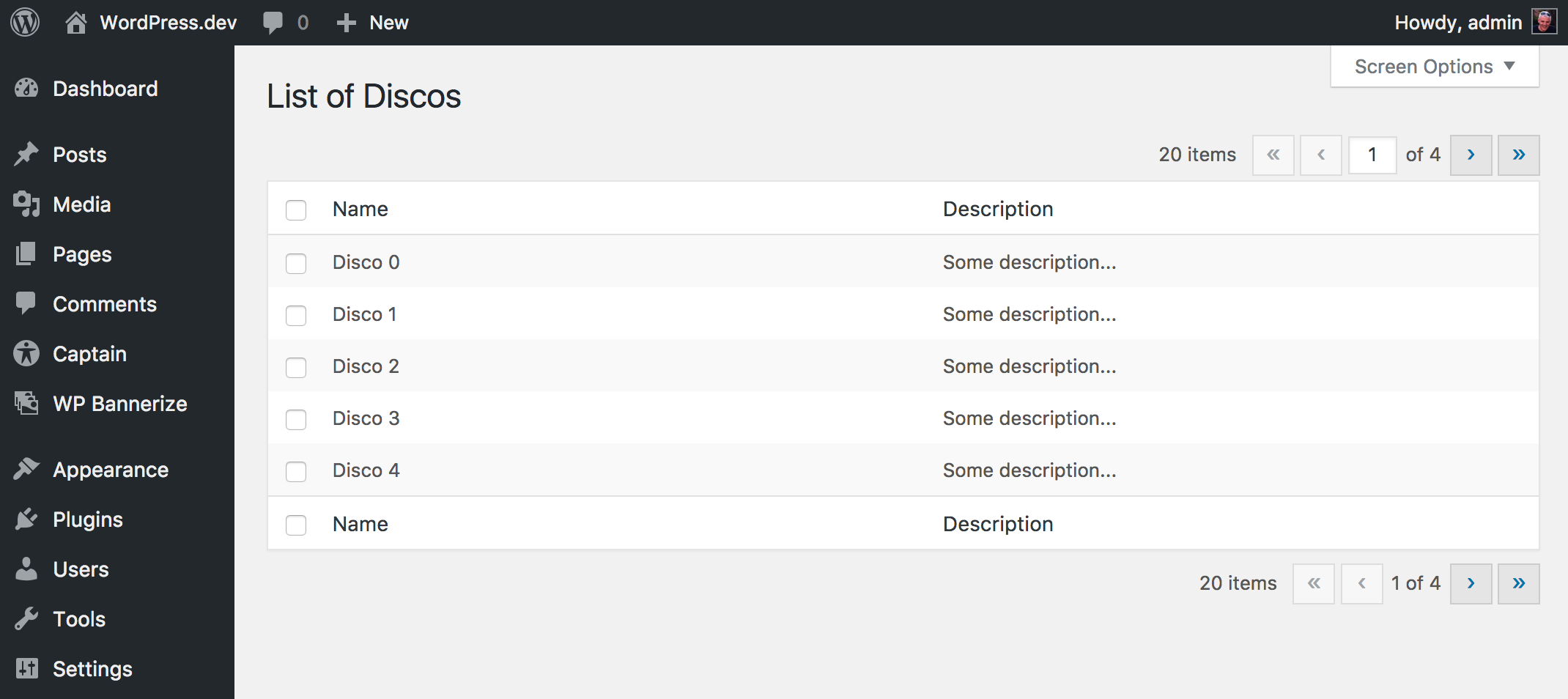
A fluent implementation of WordPress WP List Table for WP Bones
This package works with a WordPress plugin written with WP Bones framework library.
You can install third party packages by using:
php bones require wpbones/wptablesI advise to use this command instead of composer require because doing this an automatic renaming will done.
You can use composer to install this package:
composer require wpbones/wptablesYou may also to add "wpbones/wptables": "^1.1" in the composer.json file of your plugin:
  "require": {
    "php": ">=8.1",
    "wpbones/wpbones": "^3.0",
    "wpbones/wptables": "^1.1"
  },
and run
composer installYou can use WP Tables either like subclass or like fluent class instance.
As subclass class instance you may create a your own class as show below:
<?php

namespace WPKirk\Http\Controllers;

use WPKirk\WPTables\Html\WPTable;

class ExampleTable extends WPTable
{

  protected $name = 'Discos';

  public function getColumnsAttribute()
  {
    return [
      'id'          => 'Name',
      'description' => 'Description',
    ];
  }

  public function getItems( $args = [] )
  {

    $fake = [];

    for( $i = 0; $i < 20; $i++ ) {
      $fake[] = [
        'id' => "Example {$i}",
        'description' => 'Some description...'
      ];
    }

    return $fake;

  }
}
In your view controller you have to use the load method in order to register the screen options:
...
  public function load()
  {
    ExampleTable::registerScreenOption();
  }

  public function index()
  {
    $table = new ExampleTable();

    return WPKirk()
      ->view( 'dashboard.table' )
      ->with( 'table', $table );
  }
...
In your ExampleTable you may override:
public function getCheckBoxValueAttribute( $item )
{
   return $item[ 'my_colum' ];
}

// or

public function getCheckBoxColumnNameAttribute()
{
   return 'my_colum';
}
This will be the value used in the checkbox value.
getBulkActionsForView() lists the actions of the drop-down menu, and a method named after each one runs it: the keep_on_trash action calls processBulkActionKeepOnTrash(), with the checked values.
public function getBulkActionsForView( $view )
{
  return [
    'delete' => __( 'Delete' ),
  ];
}

public function processBulkActionDelete( $items )
{
  // delete $items

  $this->successMessage = 'Deleted ' . count( $items ) . ' items';
}
The method runs only when the request carries the nonce that the table form prints (bulk-{plural}). The form is sent with GET, which the CSRF check of WP Bones 3 does not cover, so the table checks it itself: a request without the nonce, as a link from another site would be, shows "The link you followed has expired." and runs nothing. Since 1.1.0.
A link of your own that runs one of these actions, a row action for example, has to carry the same nonce. Inside the table class, sign it with wp_nonce_url( $url, 'bulk-' . $this->_args['plural'] ). To check a nonce of your own instead, override isValidBulkActionNonce().
If you like use the WPTable as fluent instance, you have to set the columns twice.
...
  public function loadFluentExample()
  {
    WPTable::name( 'Books' )
           ->columns(
              [
                'id'          => 'Name',
                'description' => 'Description',
              ]
            )
           ->screenOptionLabel( 'Rows' )
           ->registerScreenOption();
  }

  public function indexFluentExample()
  {

    $items = [];

    for ( $i = 0; $i < 20; $i++ ) {
      $items[] = [
        'id'          => "Book {$i}",
        'description' => 'Some description...',
      ];
    }

    $table = WPTable::name( 'Books' )
                    ->singular( 'Book' )
                    ->plural( 'Books' )
                    ->columns(
                      [
                        'id'          => 'Name',
                        'description' => 'Description',
                      ]
                    )
                    ->setItems( $items );

    return WPKirk()
      ->view( 'dashboard.table' )
      ->with( 'table', $table );
  }